Savings Goals
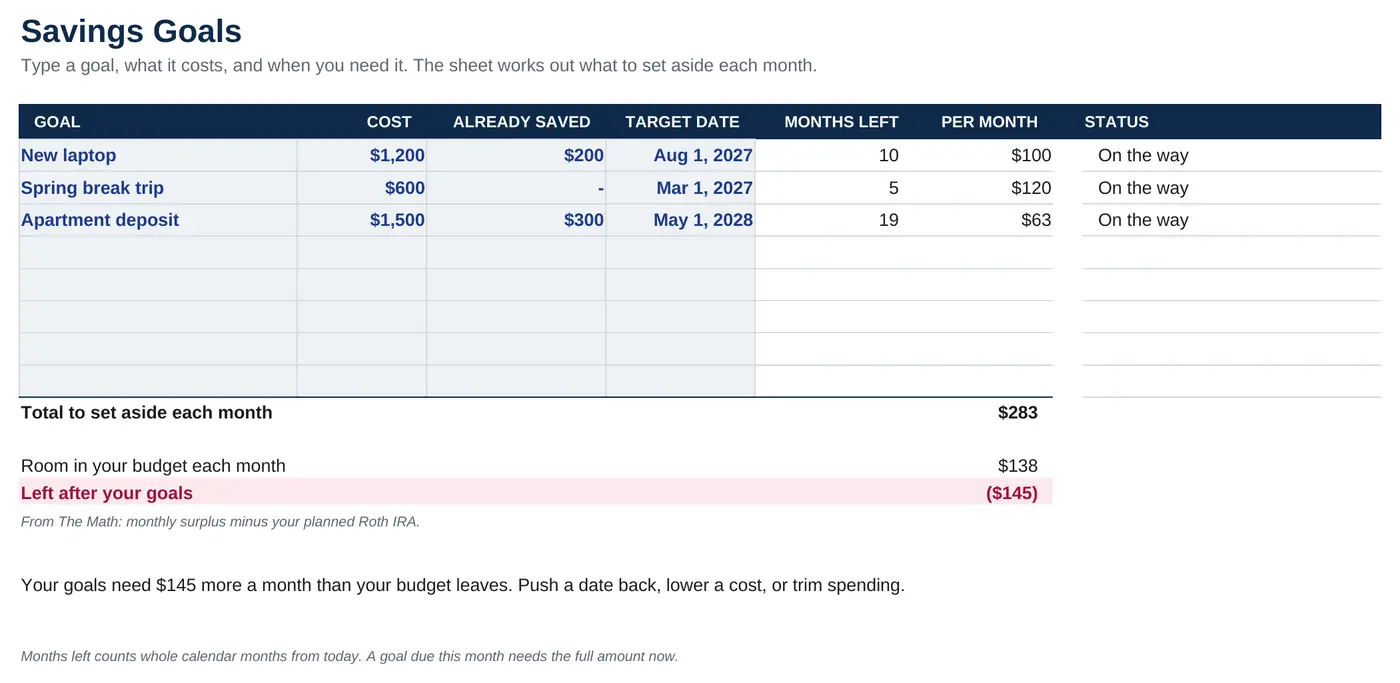
A laptop, a trip, a deposit. Enter what it costs and when. It tells you what to set aside each month, and whether your budget can cover it.
College Money Planner
One spreadsheet for your budget, tuition, loans and savings. Type your numbers. It tells you where you stand.
Google Sheets and Excel. No account. No bank login.
The dashboard
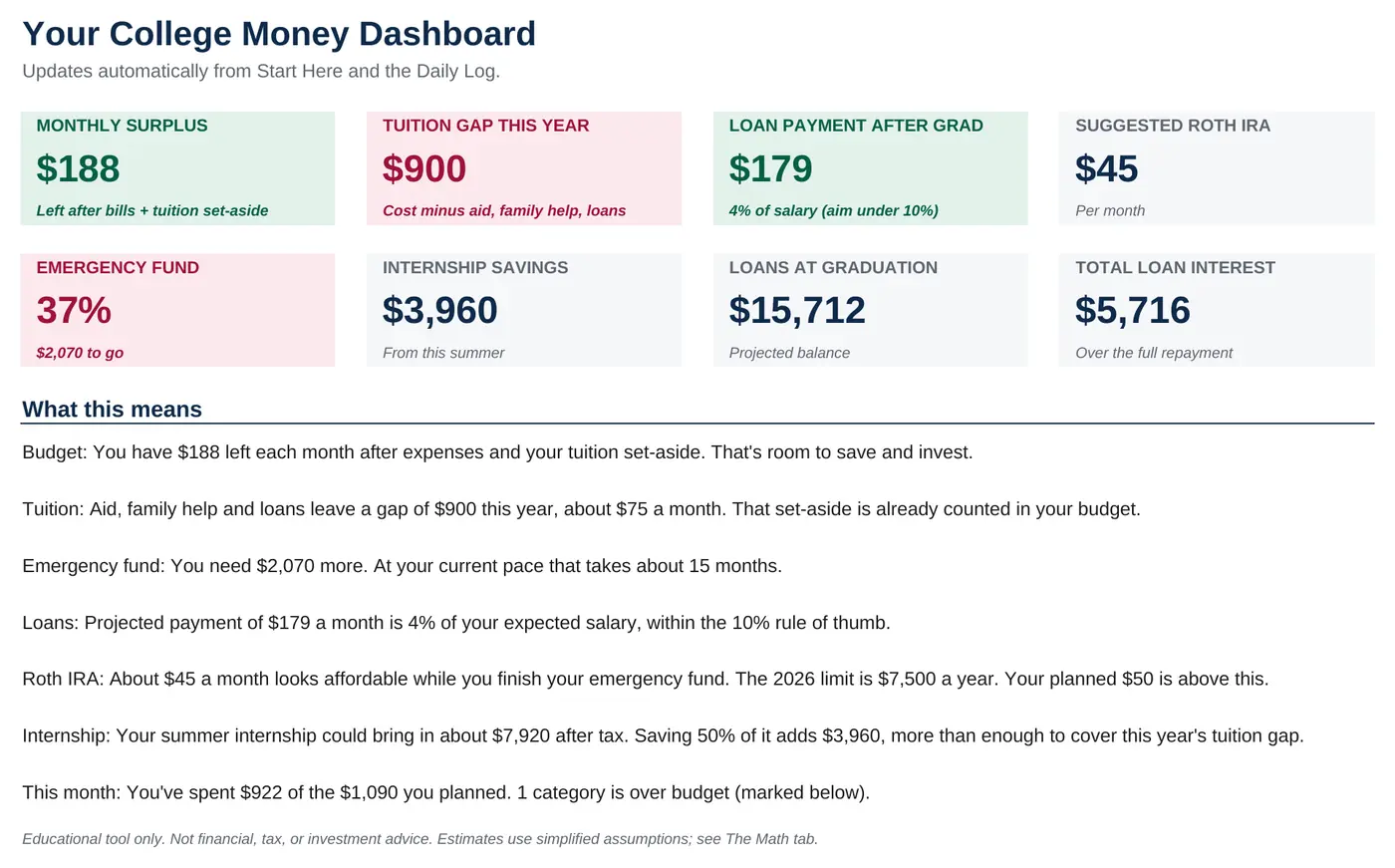
Every number on the dashboard checks itself. You see what's fine and what needs you, at a glance.
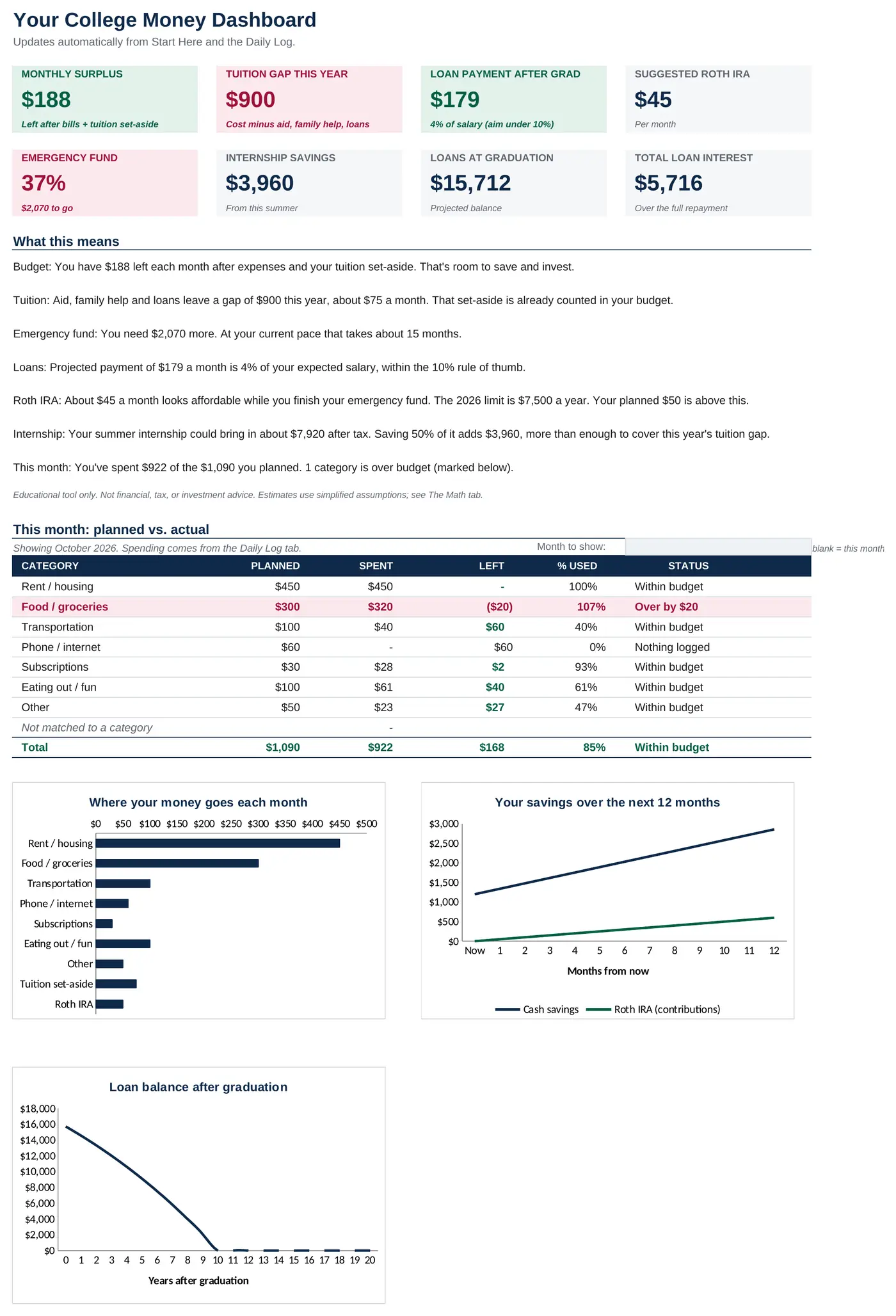
Monthly surplus, tuition gap, loan payment, emergency fund and more. Each key card turns emerald or garnet on its own.
Surplus: $188Emergency fund: 37%Seven short notes say what each number means and what to do next. No finance degree needed.
Every budget category for this month, from your Daily Log. Overspend and the row turns garnet.
Food: over by $20Spending by category, your savings over the next year, and your loan paid down to zero.
Try it
This is the first of the planner's checks. Change a number and watch it answer.
New: Daily Log
Put a Google Form on your home screen. Tap, type the amount, pick a category. It lands in your planner, and the dashboard keeps score.
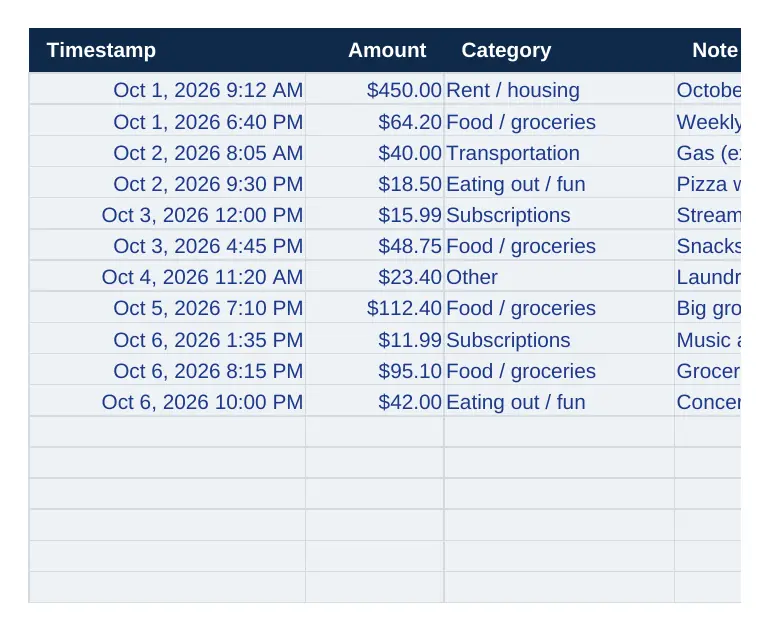
Three questions, step by step. Free with any Google account.
Works on iPhone and Android. No app to install.
Categories match your budget, so overspending shows up the same day.
New tabs
Plan for the big stuff, test a what-if, and get a handle on your card.
A laptop, a trip, a deposit. Enter what it costs and when. It tells you what to set aside each month, and whether your budget can cover it.
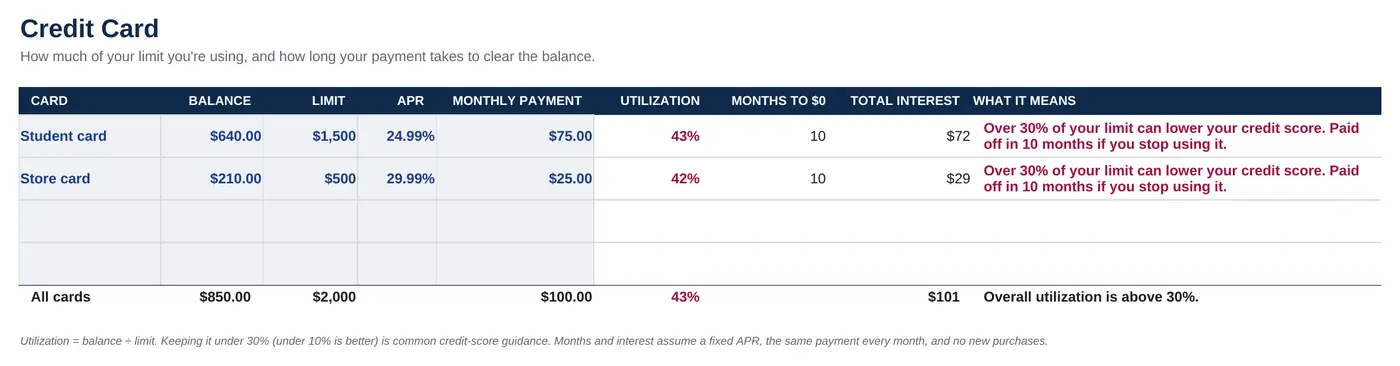
See how much of your limit you're using and how many months your payment takes to reach $0. Over 30% turns garnet.
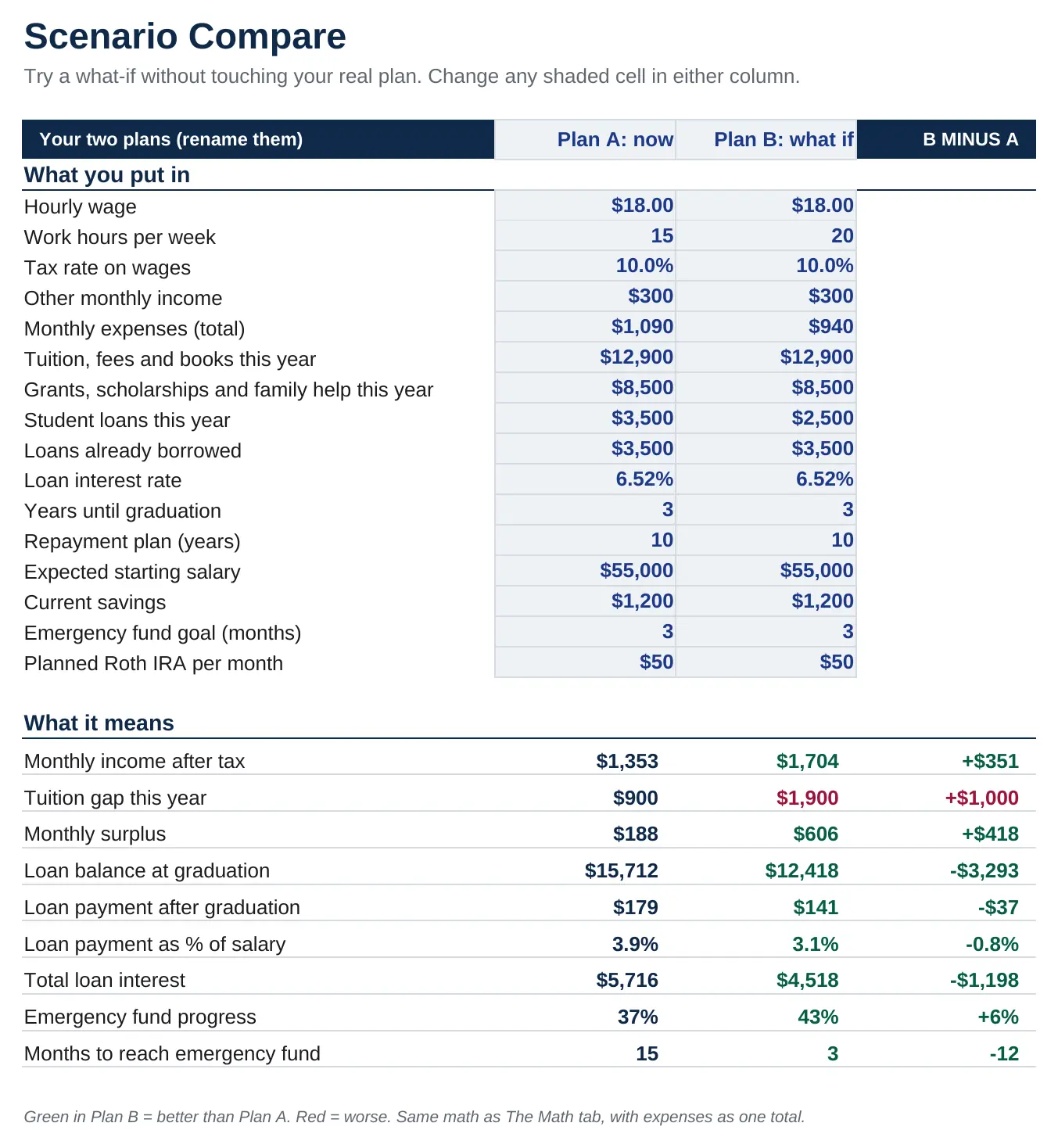
Two versions of your plan, side by side. Work five more hours, cut rent, borrow less. Green shows where Plan B wins.
After checkout you get a link. Open it in Google Sheets and make your own copy, or download the Excel file.
Your pay, bills, tuition, aid and loans. Example numbers are already there, so you can see how it works first.
Green is good. Red needs a look. The notes tell you what each number means and what to do next.
Before you buy
Better to know now.
No subscription. Use it every semester and update it whenever life changes.
One-time purchase. Yours for life. All sales are final.
Checkout and delivery by Payhip.
No. It works in free Google Sheets. An Excel file is included if you prefer that.
You only type into the shaded blue cells, and each one has a short note explaining what to enter. Everything else is protected so you can't break it by accident.
You make a free Google Form with three questions (amount, category, note) and link it to your copy of the planner. The included guide walks you through it in about five minutes, including how to put it on your home screen.
Yes. You work in your own copy of the file, and form entries go to your own Google account. There's no account with me, no bank connection, and nothing is sent to me.
No. It's a planning and learning tool that runs your numbers through simple, visible formulas. For decisions about loans, taxes or investing, check with your school's financial aid office or a qualified professional.
The budget, Daily Log, savings goals and credit card parts will. The loan rate and Roth IRA sections follow U.S. federal rules, so they won't apply elsewhere.
One-time purchase. Yours for life. All sales are final. That's why this page shows real screenshots, a working sample check, and everything the planner doesn't do. If anything is unclear before you buy, email me and I'll answer.
Still have a question? Email me at Joseheur20@gmail.com